
Hello! Today, I am sharing an honest review of the 4K QD Mini-LED monitor I recently purchased and have been genuinely blown away by its picture quality and peak brightness: the TCL 27R83U.
Why I Chose This Monitor for Family HDR Vlogs
While I am not a commercial YouTuber, I love editing and preserving our family daily vlogs in vivid HDR format to share precious memories with my family. Because of this, the most crucial elements when selecting a monitor were 'accurate wide color gamut coverage (DCI-P3 97%, Adobe RGB 97%)' and 'brightness and dimming performance capable of genuine HDR monitoring above 1,000+ nits.'
Considering that professional reference monitors cost thousands of dollars, the TCL 27R83U-featuring 4K 160Hz with 1,152 Mini-LED dimming zones and 1,600 nits peak brightness-felt like an unbeatable value choice for editing family home videos on my main desktop.
TCL 27R83U Key Specs at a Glance
| Category | Specification | Key Selling Point |
|---|---|---|
| Display Size / Type | 27-inch (68cm) / Flat | Dense dot pitch & razor-sharp 4K clarity |
| Panel & Backlight | CSOT Fast HVA Panel + Quantum Dot (QD) Film | 4,000:1 static contrast & DCI-P3 97% wide color gamut |
| Resolution / Refresh Rate | 4K UHD (3840 x 2160) / 160Hz | Handles 4K video editing & 160Hz high-refresh gaming |
| Local Dimming | 1,152 Zones (Mini-LED FALD) | Deep real blacks & minimized blooming |
| Brightness & HDR | Up to 1,600 nits / VESA DisplayHDR 1400 | Stunning HDR peak brightness & highlight detail |
| Color Gamut | DCI-P3 97% / Adobe RGB 97% / sRGB 99% | Optimized for video color grading & design work |
| Ports / Convenience | HDMI 2.1 x2, DP 1.4, USB-C (90W PD) | KVM Switch & side pop-out headphone hanger |
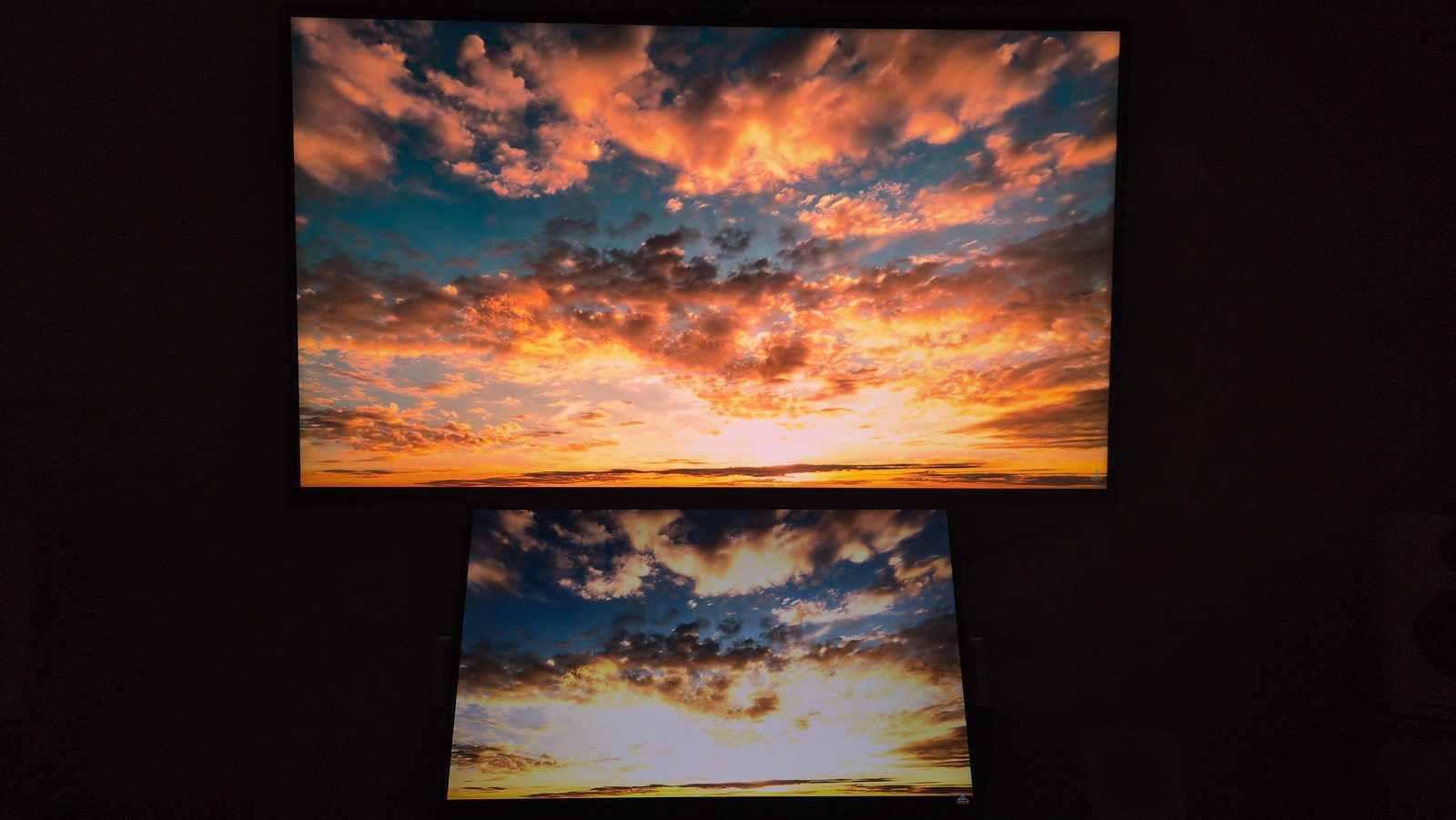
[Visual Verification] Experiencing 1,600 Nits Mini-LED Quality vs. Secondary IPS 4K Monitor
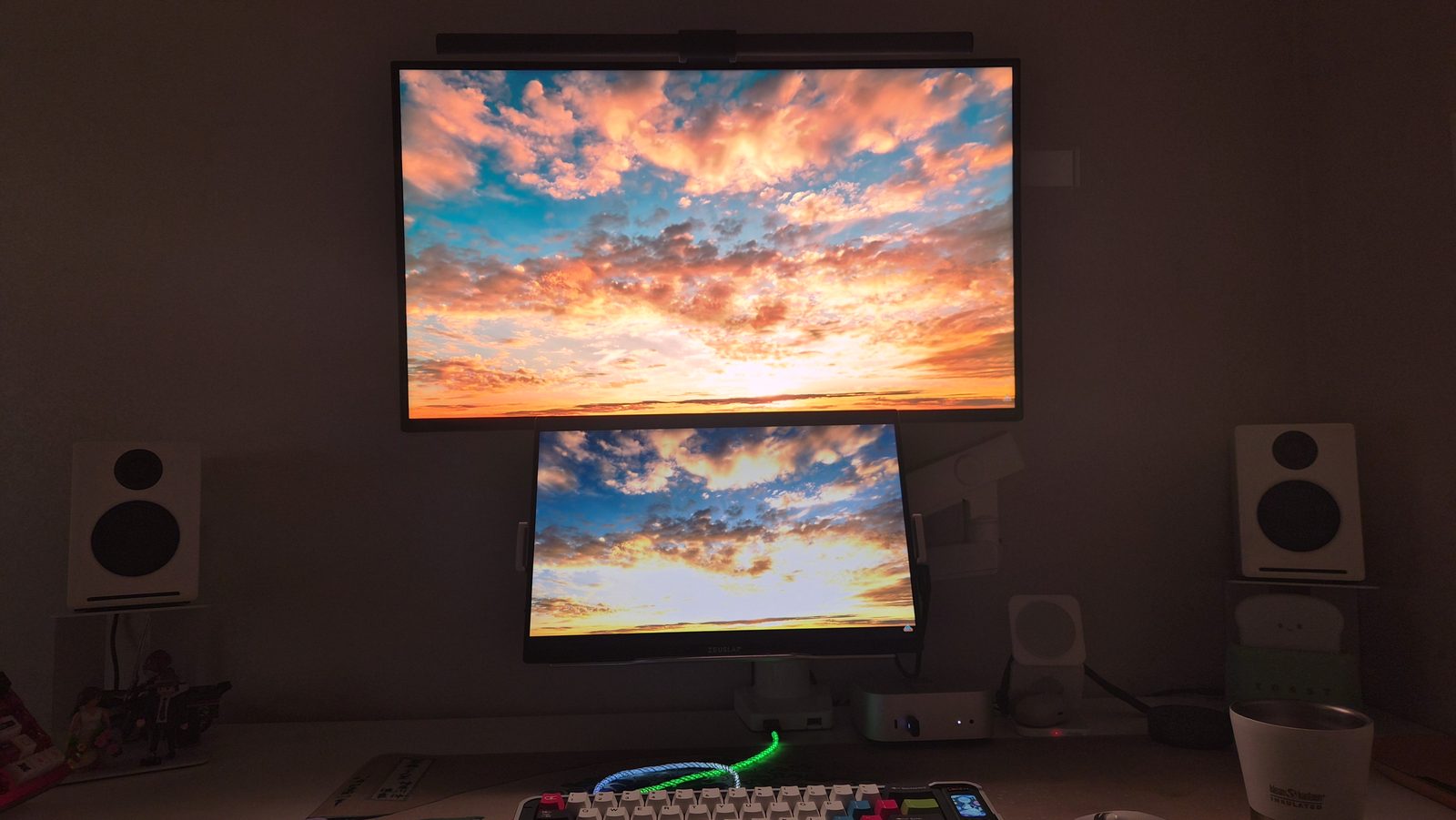
To visualize how impressive the TCL 27R83U's Mini-LED picture quality actually is, I placed my secondary 4K IPS portable monitor (ZEUSLAP Z16K, 400 nits HDR) side-by-side displaying the exact same scene.
※ Note: The ZEUSLAP Z16K is a great secondary monitor featuring a 178° IPS viewing angle, 16:10 ratio, and 400 nits brightness. This comparison illustrates the real-world performance jump between a standard 400-nit IPS display and a 1,152-zone Mini-LED main monitor with 1,600 nits peak brightness (DisplayHDR 1400).
Display Output Setup!
Both monitors were set to 100% brightness. During standard web browsing (SDR), both operate around 400~500 nits, so the gap is modest. However, the moment you play HDR videos or turn on HDR mode, the main TCL 27R83U blasts up to 1,600 nits peak brightness, revealing a night-and-day picture quality difference!
Sunset & Night Sky Highlight/Shadow Performance
Emerald Water Color Reproduction

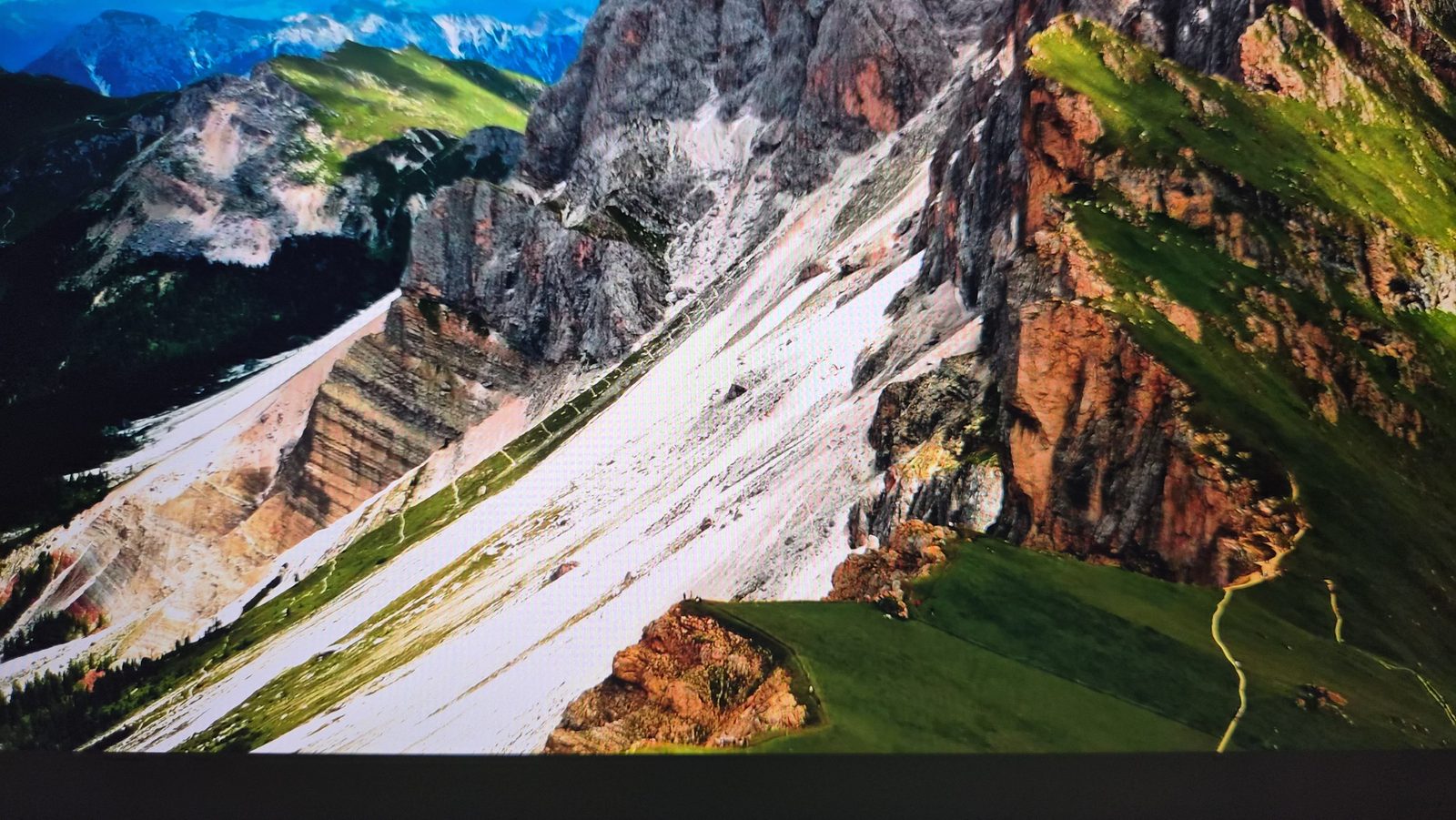
[Key Highlight] Mountain Slope Contrast & Detail Clarity
The true power of 1,152 Mini-LED dimming zones shines through in this mountain landscape scene. Check out the contrast difference in the two stacked photos below.

Connectivity & Productivity: HDMI 2.1, 90W USB-C, PIP/PBP & Built-in KVM
Beyond picture quality, what impressed me most in daily usage was the monitor's rich port connectivity and multi-device productivity features (PIP/PBP & KVM Switch).
Key Productivity Features of TCL 27R83U
1. Dual HDMI 2.1 & DisplayPort 1.4: Fully supports 4K 120Hz/160Hz VRR for gaming consoles (PS5, Xbox Series X) and high-end PCs.
2. USB-C 90W Power Delivery & DP Alt Mode: Connect a MacBook or laptop with a single USB-C cable for 4K video output while charging at 90W.
3. PIP (Picture-in-Picture) & PBP (Picture-by-Picture): Display input signals from two separate devices simultaneously-either as a sub-window (PIP) or 1:1 side-by-side split screen (PBP).
4. Built-in KVM Switch: Control both a desktop PC and a USB-C connected laptop using a single set of keyboard and mouse connected to the monitor.
5. Full Ergonomic Stand: Supports Height Adjustment, Swivel, Tilt, and 90-degree Portrait Pivot mode.
Creator-Friendly Feature: Side Pop-out Headphone Hanger
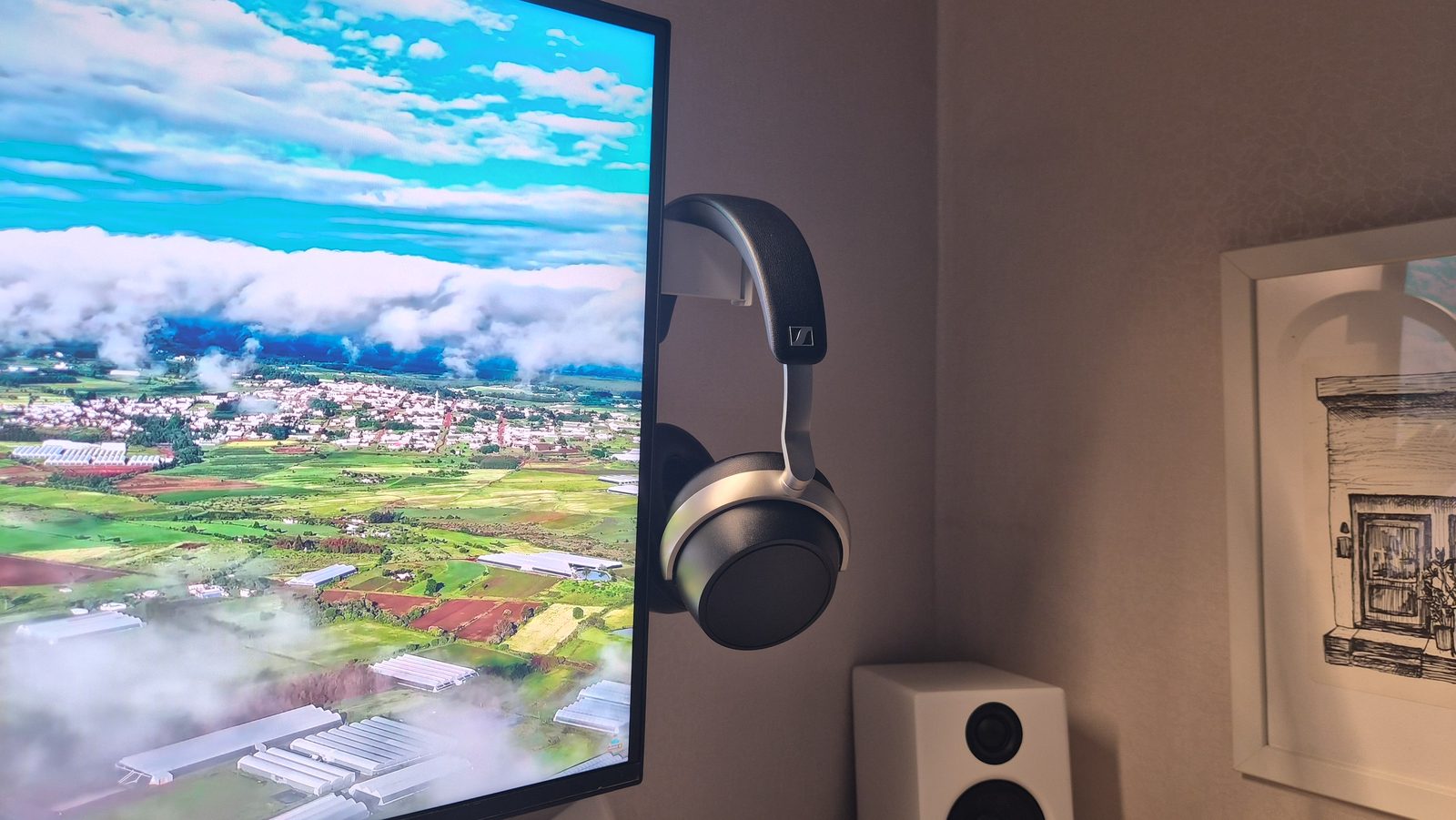
[Honest Experience] HVA Panel Viewing Angles & Dual Monitor Setup
Here are important real-world insights regarding viewing angles and my dual-monitor workflow setup.
HVA Viewing Angle Characteristics & Dual Monitor Tips
1. HVA Panel Viewing Angle Limits: While the CSOT HVA panel delivers an outstanding 4,000:1 contrast ratio and deep blacks, VA panels inherently have narrower viewing angles compared to IPS. For the best color accuracy and peak contrast, it is best placed front-and-center as your primary main monitor.
2. Perfect Pairing with a Secondary IPS Monitor: I use the ZEUSLAP Z16K (178° IPS wide viewing angle, 16:10 ratio) as my dedicated secondary sub-monitor mounted on the side. This setup gives me optimal front-center HDR mastering on the TCL main display, while the IPS secondary monitor provides wide viewing angles for reading documents and timeline tools on the side.
3. Heat Output & Power Adapter: With 1,152 Mini-LEDs outputting 1,000+ nits, warmth can be felt at the bottom bezel and rear exhaust during extended HDR sessions, and adequate desk space is needed for the 260W power adapter.
Buying Tips & Price Info (Coupang Direct Import + 2-Year Warranty)
Here are essential buying tips and price insights for readers considering the TCL 27R83U monitor.
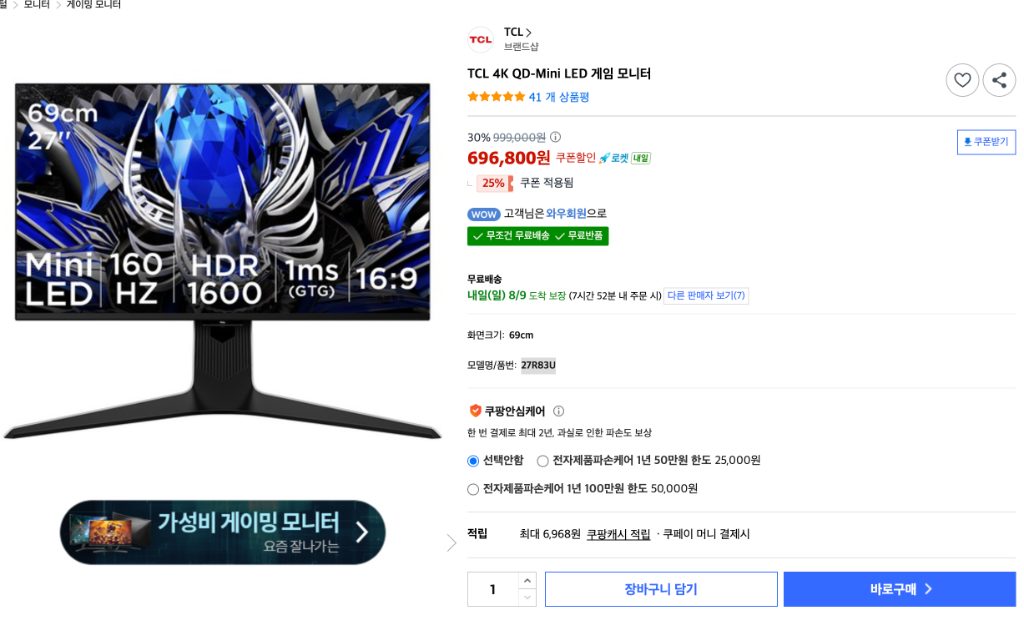
Local Buying Hack (For Readers in South Korea)
1. Coupang Direct Import & 2-Year Warranty: Unlike risky parallel grey-market imports, Coupang directly imports and sells this model in Korea with a free 2-year electronics warranty.
2. Price Range: Regular discount pricing sits in the high 600,000s KRW range (~$500 USD). During promotional sale events, prices drop to the mid-500,000s KRW.
3. ★Author's Open-Box Bargain Hack★: I managed to purchase a Coupang returned/open-box unit for just 420,000s KRW (~$310 USD) in mint condition! Watching out for sales or returned items offers unmatched value for money.
Final Verdict
For anyone who wants to record and relive precious family memories in vibrant HDR quality, the TCL 27R83U is an outstanding main monitor. When paired with a wide-viewing-angle IPS secondary display (like the ZEUSLAP Z16K), it creates the ultimate dual-monitor setup for home video editing!